
Step 1
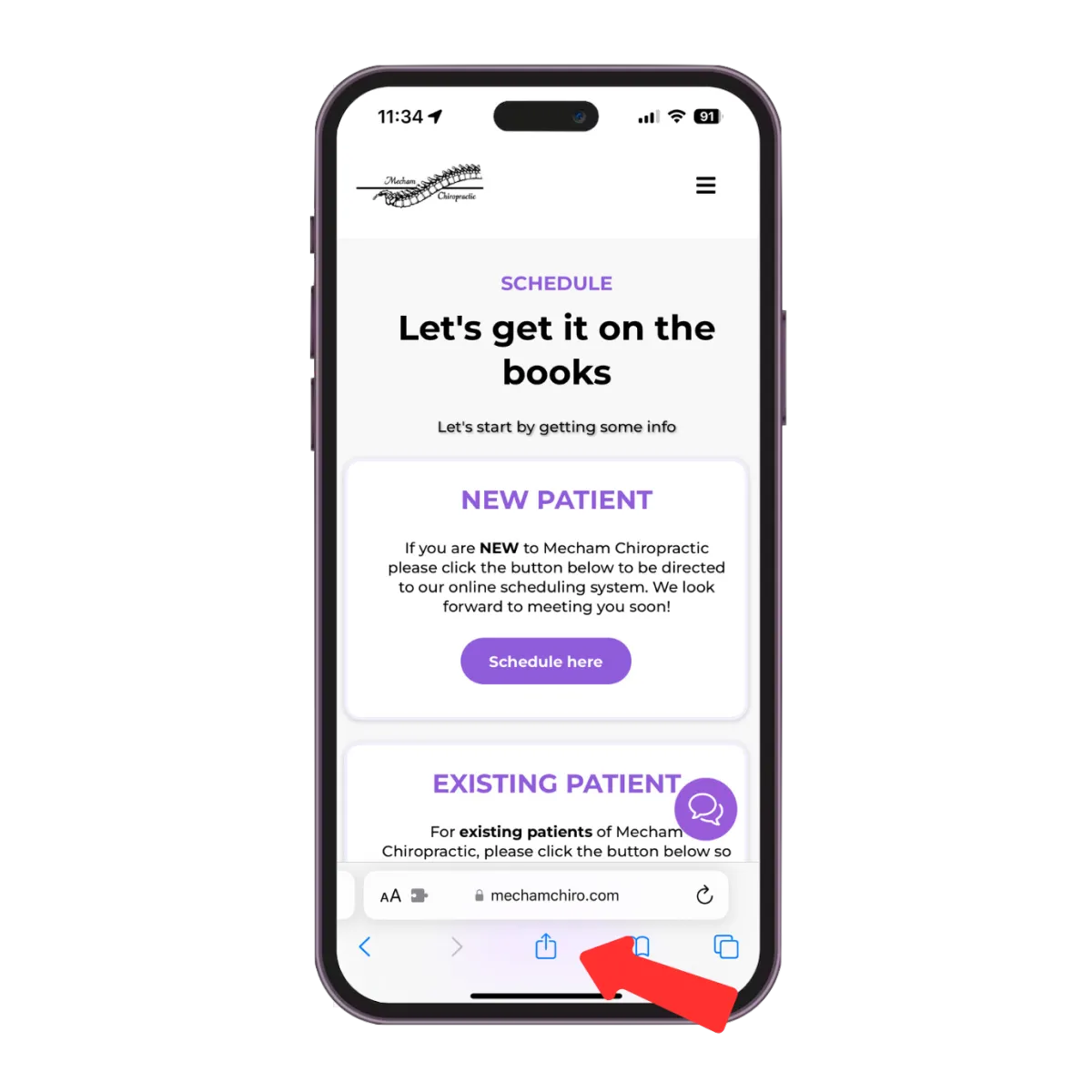
Visit mechamchiro.com/scheduling on your mobile device and tap the 'share' icon while on the scheduling page.
Step 2
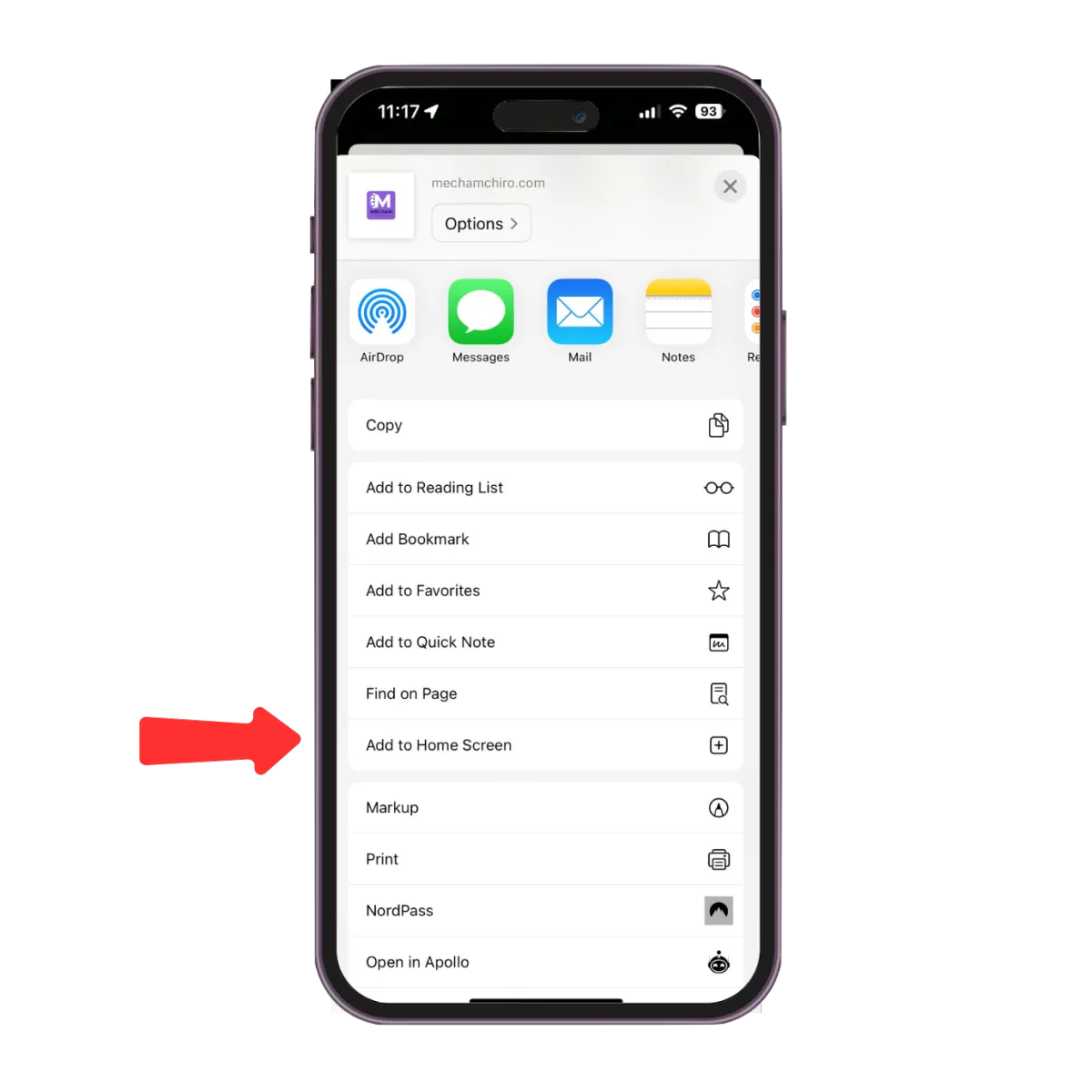
Tap the 'Add to Home Screen' option from the menu.
Step 3
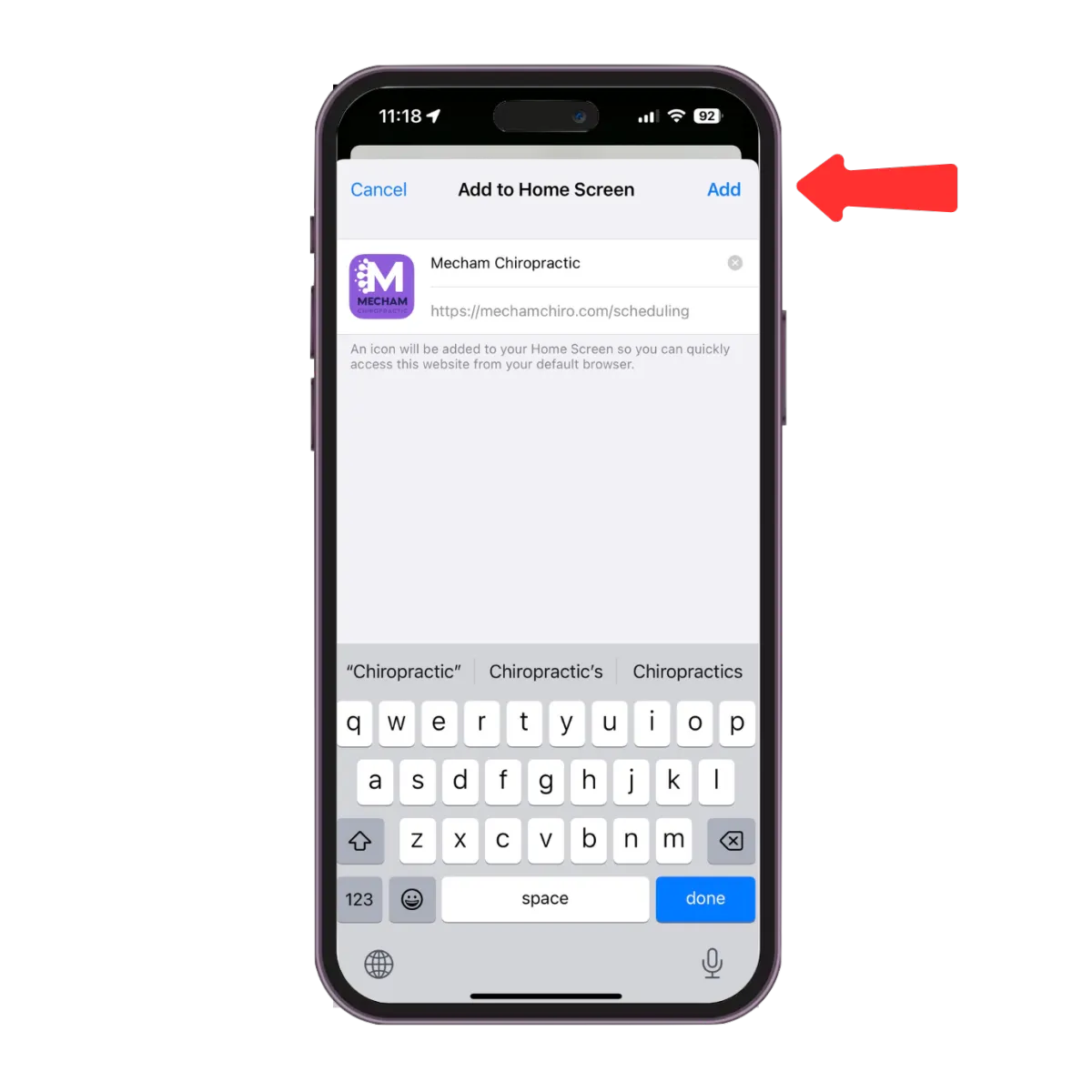
Tap on 'Add' in the top right corner to add the icon to your home screen.